How I built a live, interactive slide site for my students with Claude Code, and fixed it at 5:30 in the morning before I pressed play.
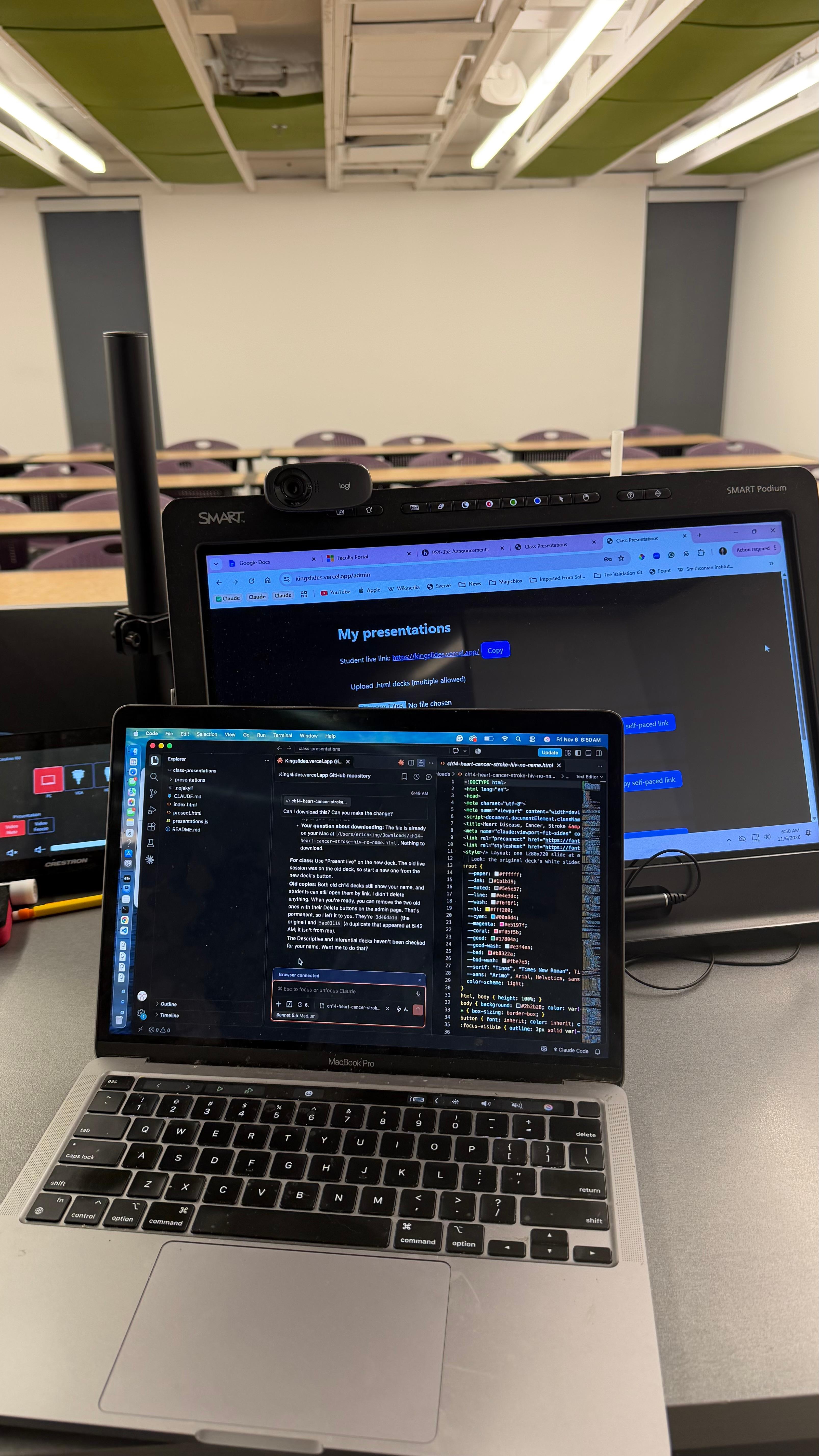
It's 6:50 AM. The classroom is empty: rows of purple chairs, fluorescent lights humming, a webcam clipped to the top of the SMART Podium. My MacBook sits in front of the podium screen with Claude Code open, and on the big screen is the admin page of a website I didn't have a week ago.
I'd woken up at 3:00 to make sure everything was ready. The site had worked all week in my other classes, but I didn't have much time to code before I had to get dressed and be in my classroom by 6:30. Luckily, Claude fixed things in seconds, right up until I pressed play.
This is the short version of how I built that site, KingSlides. If you teach, train, coach, or present, you can build your own this weekend.
Why I needed it
I make my lecture decks as interactive web pages: quizzes students can click, charts that animate, answers that reveal one at a time. Students engage with them far more than with a regular slideshow. But three problems kept coming up:
Presenting them was clunky. A web page has no "upload and press Present" button. (I also don't read speaker notes well, so I build what I want to say right into the slides.)
Students in the back row couldn't see.
Every week: "Can you post the slides?"
I wanted one site where I upload a deck and press Present, and students open a link on their phones and follow along live, with no sign-in.
What it does
My side (password protected): upload decks, press ▶ Present live, copy a self-paced link for students, delete old decks, and present full screen with the arrow keys.
My students' side (no sign-in): one short link that shows whatever slide I'm on, with a LIVE badge. They can go back to re-read a slide, then tap Jump to live slide to catch up. The quizzes stay clickable.
How I built it, in five prompts
I used Claude Code inside VS Code. You don't need to know how to code. You need to describe what you see.
1. Describe it, even badly. Here's my first prompt, exactly as I typed it:
I want to create a web page for my interactive presentations that can be presented to students through the site but I can edit and upload and present from my side and upload other presentations to present. Students can go to the site and see the presentation through a link. I have files
Yes, it ends with "I have files." I hit Enter too soon. Claude asked me clarifying questions anyway. Then I added the most important detail: "They are interactive slides not static."
2. Name the exact problem. When some slides lost their interactive parts, I listed them:
Slide 9 is missing its interactive boxes, slide 20, 23, and others are missing its animations.
Short and specific wins. You don't need technical words.
3. Put it online with a name students can remember.
Can this be made into a live Vercel site now? I want a short name so that it's easy for students to remember and find
Claude walked me through logging in to Vercel (it's free) and set everything up. Now I log in from the school's podium computer and go. Nothing to install.
4. Fix what you notice, even at 3:23 AM.
The 'copy self paced link' doesn't work. It's greyed.
It wasn't broken, just grey and silent. Claude made it blue and had it say "Copied ✓" when you click it.
5. The 5:30 AM fix. On Friday morning, a brand-new deck wouldn't move when I clicked Next, and I couldn't click my own quizzes. I sent Claude a detailed message explaining what was wrong and what to test, then typed one word: Deploy.
Ten minutes later, in full panic: "Now the site doesn't work at all." It was fine. My browser tab had been open since before the fix, so it was running the old version. A hard refresh (Cmd + Shift + R on a Mac, Ctrl + Shift + R on Windows) solved it.
Two minutes before class
At 6:47 AM I decided I didn't want my name on the title slide, and I wanted to cut the exit ticket:
Will you remove the last page and the exit ticket. Since I can't edit, I cant do it myself. I need to give the presentation in 2 mins
Claude made a clean copy of the deck and uploaded it. I pressed ▶ Present live, and class started on time. My students opened the link without signing in, and the interactive slides were a hit.
What I'd tell another teacher
Start messy. Your first prompt doesn't need to be good.
Describe what you see, not what you think is wrong. "A blank page" or "buttons that don't respond" gets you a fix faster.
Right after a fix, hard refresh first before you decide something is broken.
Keep your passwords private. Never share your .env.local file or paste a password into a post or screenshot.
Want the shortcut?
I'm packaging everything into the Coding Before Class Kit: a ready-to-use starter template, every prompt from this build in order, and a step-by-step setup guide written for teachers who have never coded. Join the newsletter to hear when it's ready.
Build something you can use. Then go teach.